

FC 27 Trainer Explained
The FC 27 Trainer offers helpful hints and tips during matches, allowing you to develop your skills while playing. Action buttons appear around the player currently in control of the ball.
This feature functions as an interactive learning tool that helps players understand game mechanics and refine their techniques. The FC 27 Trainer provides on-screen prompts, visual indicators, and context-based tips to guide players through in-game actions, strategies, and movements. Its main goal is to support newcomers and those seeking improvement in mastering various moves, tactics, and maneuvers.
It can be fully customized according to each player’s skill level and preferences. The system offers different levels of assistance, from simple hints for beginners to advanced insights for experienced players. Adjustable settings make it easy to choose how much guidance to receive, ensuring the FC 27 Trainer adapts to individual needs.
During gameplay, the FC 27 Trainer displays key information such as button commands, positioning guidance, and tactical suggestions. This real-time feedback helps players make smarter decisions instantly, improving performance and overall understanding of the game.
How to Access Trainer
- Start a match;
- Pause the game;
- Navigate to [Trainer];
- Enable, disable or customise the available assistance options.
This tool is not available in the settings screen. You can only enable, disable, or customize it just before the game starts or by pausing the match while playing.
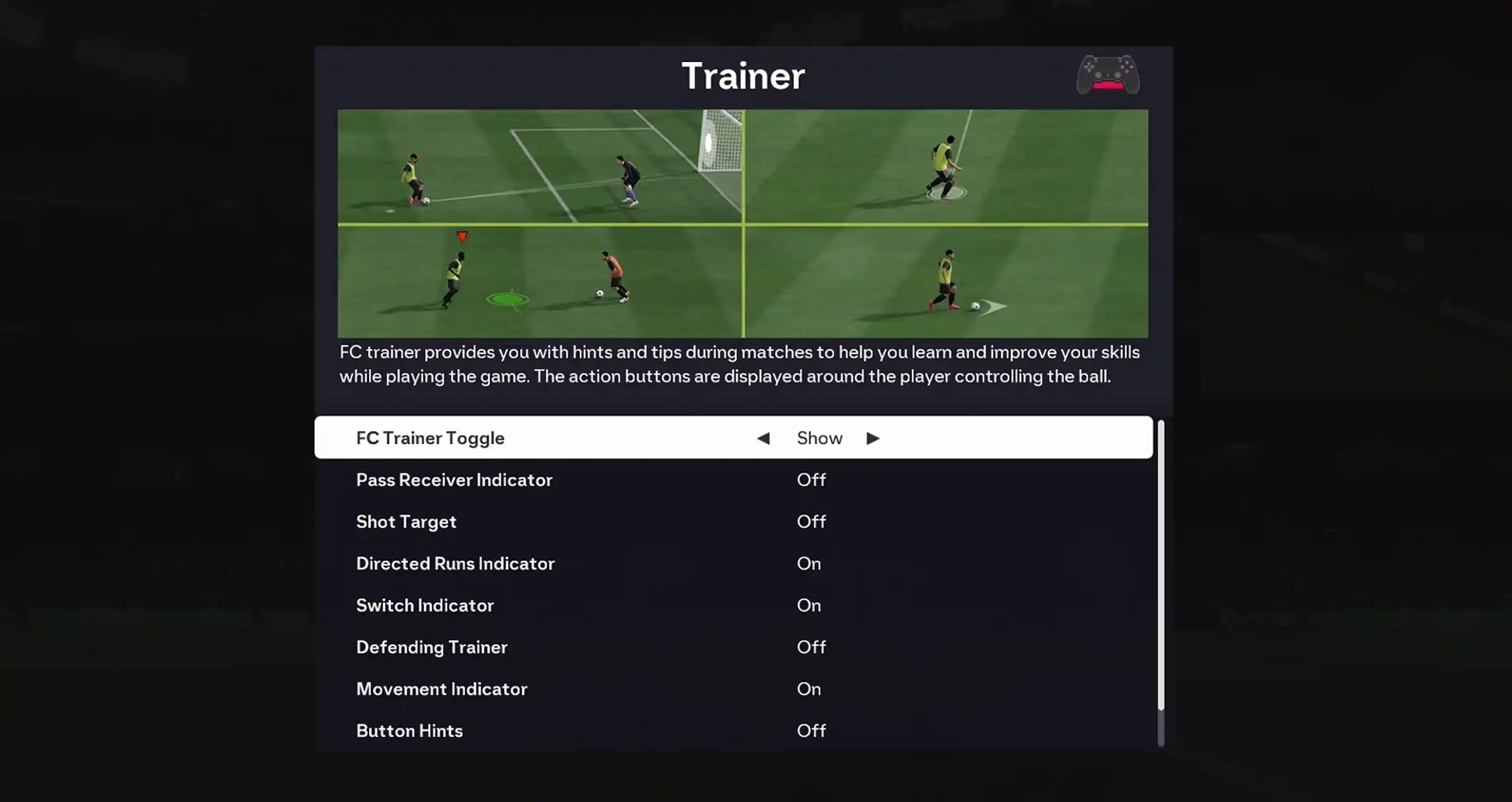
Settings
You can customize the FC 27 Trainer from its dedicated menu.
- FC Trainer Toggle (Show/Hide)
This is where you decide if you want this feature enabled during matches or not. - Pass Receiver Indicator (On/Off)
Shows which player is selected as the receiver for Ground Passes and Through Passes. - Shot Target (On/Off)
Shows where the shot is expected to hit. - Directed Runs Indicator (On/Off)
Show the Directed Runs Indicator when a player performs a Directed Pass and Go or a Directed Run. - Switch Indicator (On/Off)
Indicates who is the next player that the user is about to switch to. - Defending Trainer (On/Off)
While defending, suggests where the controlled player should be positioned to intercept the ball. - Movement Indicator (On/Off)
Show movement indicator. - Button Hints (On/Off)
Show button hints. - Offside Indicator (On/Off)
Indicates whether the player is in an offside position.