
FC 27 SQUAD BATTLES
Squad Battles in Football Club 27 is a single-player mode where you face off against squads created by the Ultimate Team community.

Squad Battles Explained
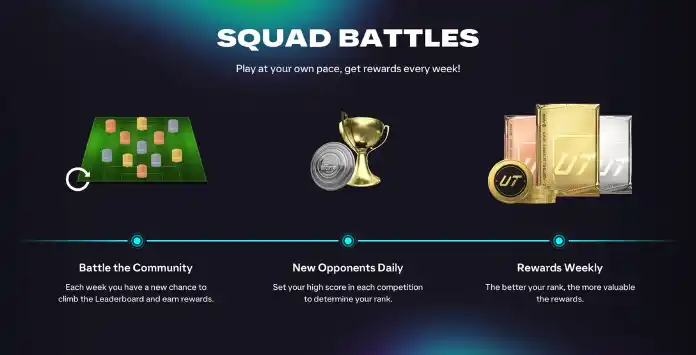
Squad Battles is a single player or Co-Op mode in FC 27 Ultimate Team where you face AI controlled versions of squads created by other players.
Each week features a new competition in which up to 18 matches can count towards your Rank. This total consists of sixteen matches against squads from the Ultimate Team community, plus one match against a Featured Squad and one against the current Team of the Week, when both are available.
After completing the matches that count towards your weekly score, you can continue playing Squad Battles to earn FUT Coins, Champions Qualification Points, Season Points and progress towards Objectives. However, these additional matches will not add Battle Points to your weekly total.
Four community opponents are available at a time. You can refresh the list whenever you choose, but any unplayed matches from the current group will count as used and award no Battle Points. Once skipped, these matches cannot be recovered.
Your Rank is determined by the Battle Points earned during the weekly competition. Most Ranks are percentage based, meaning that their point thresholds can change as other players continue competing. Reaching the highest positions requires earning more Battle Points than other players on the leaderboard.
The number of Battle Points earned depends on the match result, the selected difficulty and your performance. Higher difficulty levels offer greater potential scores, but also make the AI controlled opponents more challenging.
Rewards are granted shortly after the weekly competition ends and are based on your final Rank. They may include Coins, Packs and other Ultimate Team rewards, with the available rewards subject to change throughout the FC 27 season.
FC 27 Squad Battles Changes
A few changes were announced for Squad Battles in FC 27
| ▲ Champions Qualification Points can be earned through SB; |
| ▲ Squad Battles matches award increased FUT Coin rewards; |
Frequently Asked Questions
Squad Battles in Football Club 27 is a single player game mode where you take on other squads from the Ultimate Team community to earn rewards and move up the leaderboards.
You don’t need it. Everyone is invited. You just need to enter and play. As simple as that.
It depends on how you prefer to play. Squad Battles is played against AI controlled opponents and is suitable for players who prefer offline competition or have an unstable connection. Rivals is played against other users and offers a different competitive progression and reward structure.
Squad Battles has two main sections:
- Opponent Select
In this phase, you pick the difficulty level and choose the opponent you want to face. You can see their squad, formation, tactics, kits, stadium, and nation. A light blue tick shows if you have already played against a specific opponent. Each round offers four new teams to challenge. You can also play unlimited times against the Featured Squad and the Team of the Week (TOTW), which are refreshed weekly. - Your Rank
Also called Leaderboards, this section shows your current standing and potential rewards. Ranks range from Bronze 3 to Elite 1, including the Top 200. Rankings update continuously, and your final position is determined when the event ends on Sunday morning.
Yes, it may happen if you have played at least one match on Squad Battles, Draft (online and single player), Champions, or Division Rivals.
Battle Points are awarded at the end of each Squad Battles match and are used to determine your Rank in the weekly competition. If you end a match early or skip it by refreshing, no Battle Points will be earned for that game.
You can see the Battle Points formula clicking here.
In Squad Battles, your weekly Rank is determined by the Battle Points you earn throughout the week. Each Rank is limited to a set percentage of players in that week’s competition, with rankings based on the average score among all participants. To achieve the highest Rank, you need to earn more Battle Points than other players in the competition. The in-game display shows the percentage breakdown for each Rank.
If you finish within the Top 200 in a weekly Squad Battles competition, your rewards are based on your exact position on the leaderboard.
If you finish within the Top 200 in a weekly Squad Battles competition, your rewards are based on your exact position on the leaderboard.
Yes, this can happen. If you start playing Squad Battles early in the week and earn a large number of Battle Points, you may initially reach a high Rank. However, if you stop playing or earn fewer points later in the week, active players can surpass your total, causing your Rank to drop.
On the other hand, you can move up in Rank if other players earn Battle Points at a slower pace than you.
On the other hand, you can move up in Rank if other players earn Battle Points at a slower pace than you.
If two or more players have the same points, the player with fewer games played gets the higher position.
The leaderboard refreshes approximately every five minutes. Keep in mind that the Rank tab displays players across all platforms, even if you haven’t enabled cross-play. Individual names aren’t shown; instead, players are grouped into brackets based on their progress.
In FC 27 Squad Battles, you can play against three types of opponents:
- other squads from the Ultimate Team Community;
- featured squads;
- TOTW squad.
Your AI-controlled opponents in Squad Battles come from the real Squads used by other players in Ultimate Team. Specifically, Squads were used by players when playing Squad Battles, Draft (Online and Offline), Champions, and Rivals.
No, this only occurs for the featured squads.
In each round, four new teams are introduced. Since this mode is dynamic, you and your friends may encounter different squads due to its ever-changing nature.
In each round, four new teams are introduced. Since this mode is dynamic, you and your friends may encounter different squads due to its ever-changing nature.
When a new set of opponents appears, either at the beginning of a Squad Battles event or after an Opponent Update, the game ensures that one squad from each difficulty level (Easy, Medium, and Hard) is included.
The fourth squad is randomly chosen from either the Easy or Medium category, with a 50% chance for each.
The fourth squad is randomly chosen from either the Easy or Medium category, with a 50% chance for each.
Each Squad in Ultimate Team has a Team Rating value and a Chemistry value. When those values are added together, you end up with an Overall Squad Rating. Each of our difficulty buckets in Squad Battles contains a range of Overall Squad Ratings:
- Easy = 0-113
- Medium = 114-128
- Hard = 129+
Featured Squad Battles are special matches where you can play against:
- squads created by members of the FC and football community, such as real footballers, celebrities, or pro players;
- the TOTW.
Yes. In Co-Op Squad Battles, the Lobby Captain selects the opponent and difficulty, while both players earn Battle Points and Coins.
Each participant uses one of their weekly competition matches. If either player has no matches remaining that count towards the weekly competition, neither player will earn Battle Points, although both can still earn Coins and progress towards Objectives.
Each participant uses one of their weekly competition matches. If either player has no matches remaining that count towards the weekly competition, neither player will earn Battle Points, although both can still earn Coins and progress towards Objectives.
The competition refreshes every Sunday at 09:00 am (UTC+0).
You can see the complete calendar of FC Squad Battles on our website.
You can play unlimited matches, but only 18 will count for your ranking: the first 16 against other squads from the Ultimate Team community and two matches against the featured squad and the TOTW.
This game mode has been available since launch and is playable seven days a week. You can refresh to receive four new squads at any time until you reach your maximum weekly refreshes.
Although only the initial refreshes affect your weekly competition standings, you can continue refreshing to face new squads, complete Objectives, or simply enjoy fresh opponents.
Although only the initial refreshes affect your weekly competition standings, you can continue refreshing to face new squads, complete Objectives, or simply enjoy fresh opponents.
The Opponent Update feature lets you refresh your list of available squads. Once you’ve faced all current opponents, you’ll need to update the list to continue competing.
To maximize your Battle Points, ensure you use all available Opponent Updates during the event. Skipping an update means missing out on potential points.
To maximize your Battle Points, ensure you use all available Opponent Updates during the event. Skipping an update means missing out on potential points.
Be sure you don’t press the ‘Opponent Update’ button before playing against all opponents available. As soon as you press R1/RB, the opponent’s list is refreshed, and you will no longer be able to play those matches.
Each weekly competition will have a set of rewards available, with different rewards available for each tier. Once the weekly competition ends and assuming you had a score for that week, you will have earned a reward.
The more you win, the better your rewards, but you can boost them even further by following these tips: play on the highest difficulty, maximize your match count, challenge the featured squad, take on strong opponents, and earn skill bonuses for goals scored, shots on target, corners, and clean sheets.
Yes. FC 27 Squad Battles awards Champions Qualification Points, providing an offline route towards Champions qualification. Higher Rivals Divisions allow players to earn CQP faster, but Squad Battles can also be used to work towards the required total.
You’ll get your rewards shortly after the event ends (usually, it takes 5 minutes).
You can claim your rewards shortly after the competition ends, either in-game or on UT Web and the Companion App.
Generally, they are much worse than Champions and Rivals rewards.
Squad Battles rewards may include Coins, Packs and other Ultimate Team rewards. In addition to weekly Rank rewards, eligible Squad Battles matches can award FUT Coins, Champions Qualification Points and Season Points. The exact contents vary according to your final Rank and may change throughout the FC 27 season.
Check the complete list of rewards for Squad Battles in Football Club 27.
Check the complete list of rewards for Squad Battles in Football Club 27.
You will not receive any reward for that week.
Rewards don’t expire. They will be waiting for you in your Ultimate Team.
Sure. You can save your rewards to be opened when the best special items are available in packs.
3
1
vote
Article Rating
Subscribe
Login
0 Comments
Newest
Oldest
Most Voted
Inline Feedbacks
View all comments