FC 27 CAMERA

FC 27 Camera Settings allow you to customize camera types, adjust height, angles, and zoom for a personalized experience.
FC 27 Camera Views

Camera Views


How you view the game is determined by the active camera. FC 27 features thirteen standard camera views, plus six specifically designed for Rush and The Grounds. Each provides a unique perspective of the pitch and players:

  • Competitive
  • EA Sports GameCam
  • Tele Broadcast
  • Tele
  • Co-Op
  • Classic
  • Dynamic
  • End to End
  • Pro
  • Broadcast
  • Legacy
  • Legacy Focus
  • Tactical
  • Rush Pro
  • Rush End to End
  • Rush Broadcast
  • Rush Tactical
  • The Grounds Broadcast
  • The Grounds Pro
You can adjust the active camera view before a match, during gameplay, or through the game settings menu.

How to Change Camera Globally
  1. Open [Game Settings];
  2. Use R1/RB to navigate to [Visual];
  3. Scroll to [Camera Options];
  4. Select the camera setting for the match type you want to change;
  5. Choose your preferred camera.
Changing the camera view during a match will not save your choices for the next game, as they reset to the default settings in Game Settings before each match. To make permanent adjustments to the camera angle, go to the Game Settings section in the main menu.

You can set a camera view to each match type from the Camera Settings screen.
  • Offline 11v11 Camera:
    used for offline multiplayer 11v11 matches;
  • Online 11v11 Camera:
    used for offline and online single-player 11v11 matches, excluding Locked to Player matches;
  • Player Career 11v11 Camera:
    used when locked to an outfield player in Player Career;
  • Clubs 11v11 Camera:
    used for Clubs and Drop-In 11v11 matches;
  • Rush Camera:
    used for standard Rush matches;
  • The Grounds Rush Camera:
    used for 5v5 Rush matches in The Grounds;
  • The Grounds Street Football Camera:
    used for 3v3, 2v2 and 1v1 matches in The Grounds;
  • Be-A-Goalkeeper Camera:
    used when playing as a goalkeeper.
The Grounds Broadcast
The Grounds Pro

New in FC 27


FC 27 introduces two new cameras designed specifically for The Grounds:

The Grounds Pro
A close player-focused view that follows your controlled footballer and offers a more immersive perspective.

The Grounds Broadcast
A wider broadcast-style view designed to provide a clearer perspective of the pitch, teammates and opponents.

Camera Settings


Choosing a camera is only one way to personalize your view. Set [Custom Camera Settings] to [Custom] to adjust the standard camera or the dedicated Pro Camera values:

  • Height: from 0 to 20, not applicable to Pro Camera;
  • Zoom: from 0 to 20, not applicable to Pro Camera;
  • Pro Camera Zoom: from 0 to 20;
  • Pro Camera Speed: from 0 to 20;
  • Pro Camera Swing: from 0 to 20.
The Grounds Pro camera also includes horizontal and vertical sensitivity settings from 1 to 99, as well as options to invert horizontal and vertical camera controls.

The Best Camera Settings


FC 27 uses different default cameras depending on the game mode. Competitive is the default in Football Ultimate Team, Rush Broadcast is used for standard Rush and The Grounds Rush matches, and The Grounds Broadcast is the default for Street Football in The Grounds. Many players in the community, however, believe there are better options, and you might feel the same.

Finding the ideal camera settings is easier than it seems. Whether you prefer a wide view of the pitch or a closer focus on the player with the ball, FC 27 offers several camera options. The key is to experiment with different settings to discover what works best for you.

If you’re unsure where to start, consider our camera recommendations for casual and competitive players.
  • Casual Players
    1 Co-Op | Height: 20 | Zoom: 0
    2 Tele Broadcast | Height: 17 | Zoom: 0
For casual play, the Co-Op camera with height set to 20 and zoom at 0 provides a comfortable and immersive experience.

Alternatively, the Tele-broadcast camera is a reliable choice. While height and zoom are subjective, it’s best to avoid excessive zoom to maintain a full view of the pitch and keep track of the action.

  • Competitive Players
    1 Tele Broadcast | Height: 10 | Zoom: 0
    2 Co-Op | Height: 17 | Zoom: 3
Competitive players often prefer the same two cameras, but in reverse order. Both are widely used and considered standard across all levels.

The Tele Broadcast view provides a clear sight of players on the opposite side of the pitch while keeping focus on the ball carrier. Co-Op offers a broader field perspective, ideal for frequent passing or switching plays.

Both camera types can be customized further by adjusting height and zoom. For a balanced view, keep zoom below 5 and set height between 10 and 17 for an optimal field perspective.

Rush Cameras


Due to the unique aspects of the game and field, Rush has its own cameras. You can choose from four options.

Rush Pro
Immersive close-up camera that replicates a player’s on-field perspective.
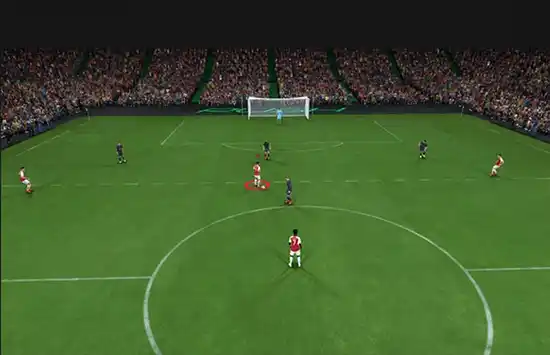
Rush Pro


Rush End to End
Dynamic tracking from goal to goal that follows the flow of play.
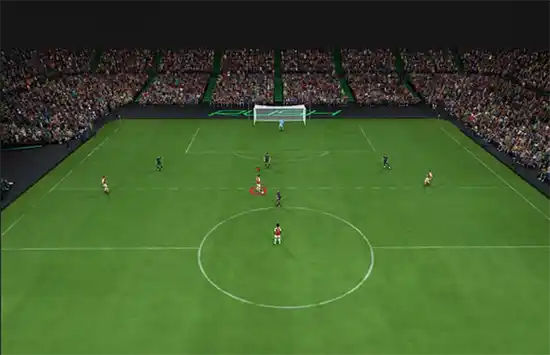

Rush End to End


Rush Broadcast
TV-style camera offering a cinematic match presentation.
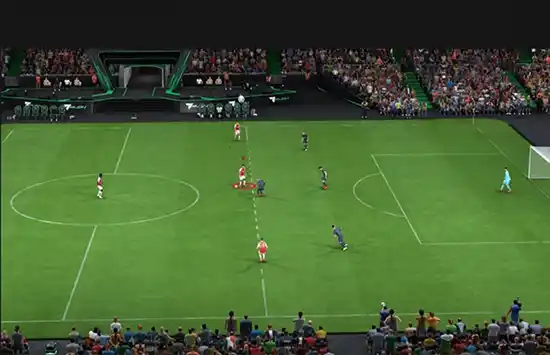
Rush Broadcast


Rush Tactical
Wide strategic view designed to show full team positioning.
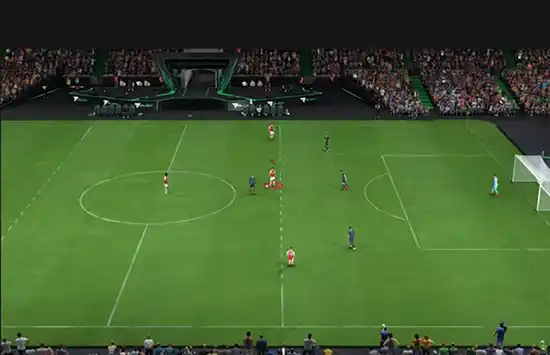
Rush Tactical


The Grounds Cameras


The Grounds has separate camera selections for Rush and Street Football. The available options depend on the match format: 3v3, 2v2 or 1v1).

The Grounds Broadcast
A side view adapted to the smaller Street Football pitches. It keeps more players visible than The Grounds Pro and makes positioning easier to read without placing the camera as far from the action.
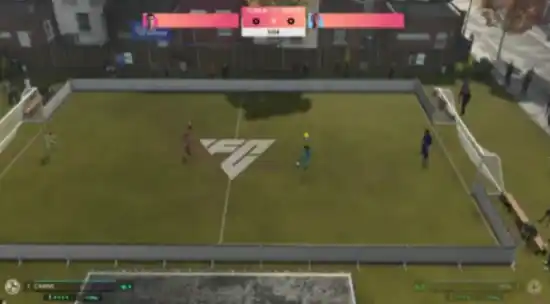
The Grounds Broadcast


The Grounds Pro
A close third-person camera that follows your controlled player from behind. It provides the most immersive view, but shows less of the pitch and makes it harder to monitor distant teammates and opponents.
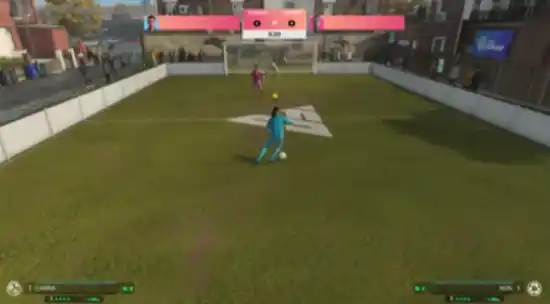
The Grounds Pro


FC 27 Cameras


Competitive
The default camera in Football Ultimate Team. A way to see more of the pitch, while still showing off the stadium and its atmosphere. This camera is on a rail, ensuring more predictable pad angle behavior to aid Competitive Gameplay.
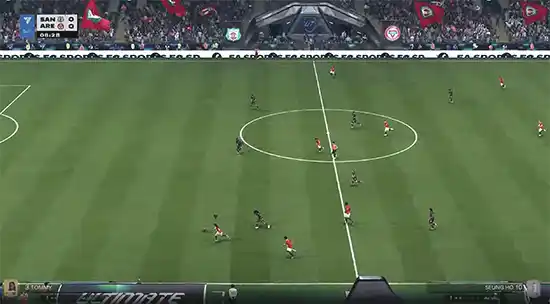
Competitive Camera


EA Sports GameCam
A broadcast-style camera with dynamic angles that adapt to the stadium and match action.
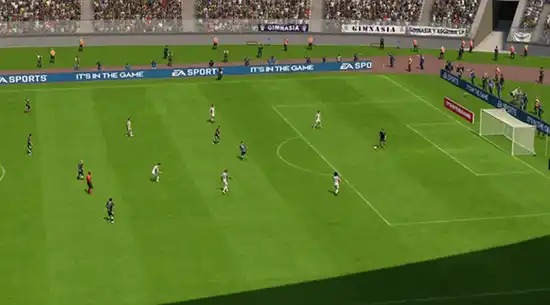
EA Sports Game Cam


Tele Broadcast
A Tele-based camera that shows the matches from the side with a mid-range perspective similar to a TV broadcast camera.
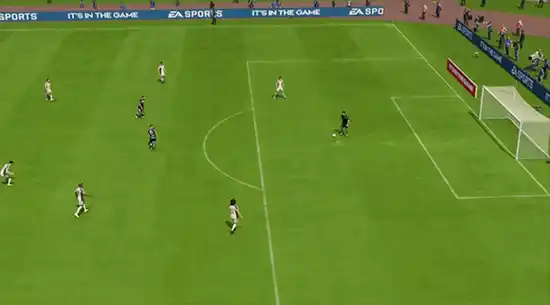
Tele Broadcast Camera


Tele
A camera which shows the matches from the side with a short-range perspective similar to TV camera.
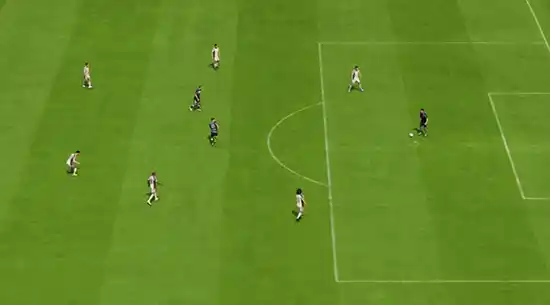
Tele Camera


Co-Op
A side view camera with a long-range perspective but similar to isometric projection. This camera is used for Co-op mode, which gives you more perspective to see your other teammates in one frame. This camera is good for you if you’re into passing rather than dribbling.
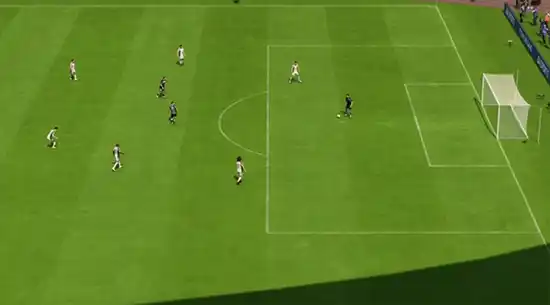
Co-Op Camera


Classic
The classic camera in Football Club shows the matches from the side with a long-range perspective but with low height and close zoom.
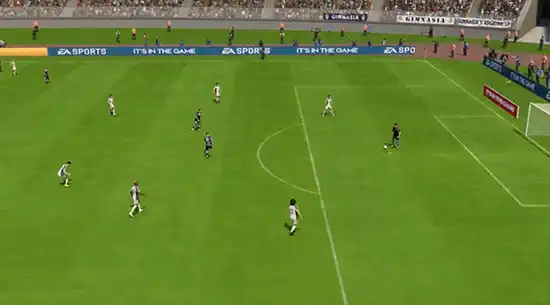
Classic Camera


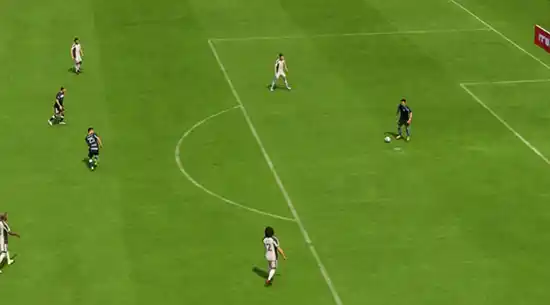
Dynamic
A dynamic camera with a short-range isometric perspective, low height, and close zoom. The focal point of this camera is strongly on the ball, and it works better for people who are into dribbling.
Dynamic Camera


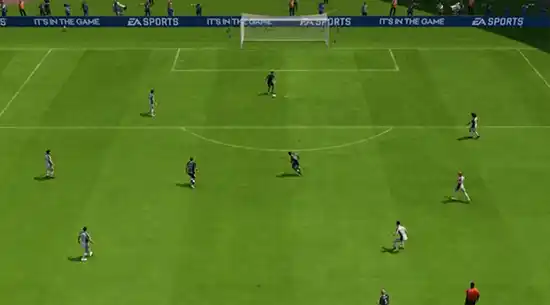
End to End
The end-to-end camera shows the match from the back of the field (from one end to another) instead of the side view. Similar to the bird’s eye view, this camera is projecting from the top and travels from one end to the other following the match ball.
End to End Camera


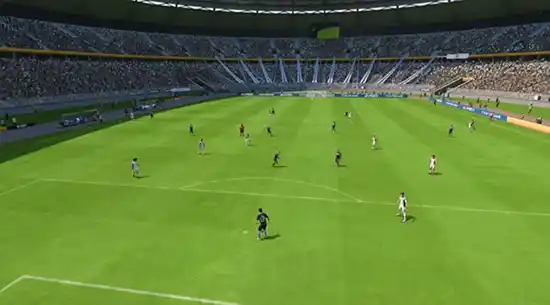
Pro
This camera type will follow your Virtual Pro (as player or goalkeeper) and is useful when playing Pro Clubs/Be a Keeper mode.
Pro Camera


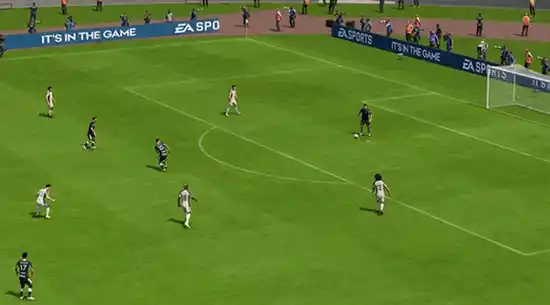
Broadcast
A side view camera is located in the center of the field and only changes its viewing direction to follow the ball rather than moving the camera. Playing using this camera will give you dimensional angles depending on the ball’s location.
Broadcast Camera


Legacy
A traditional side view with a wide perspective of the pitch.
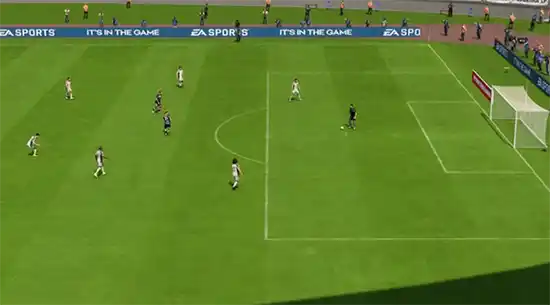
Legacy Cam


Legacy Focus
A player-focused variation of Legacy with dynamic zoom during movement and Skill Moves.

Tactical Focus Camera


Tactical
Drawing inspiration from the most esteemed cameras within EA communities, this fresh camera perspective strives to seamlessly blend the tactical view with an immersive and captivating encounter. It is also used in Rush.
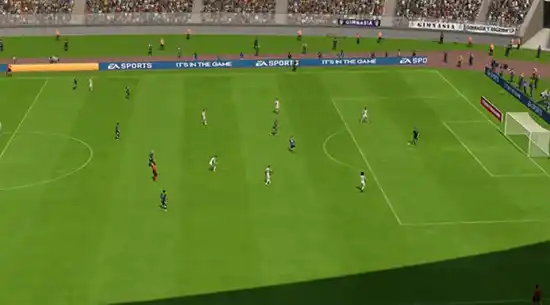
Tactical Camera


Frequently Asked Questions
Tele Broadcast and Co-Op Camera are the most popular cameras in FC 27 for casual and competitive players.
It depends on the camera angle and your preferences, but we suggest setting the camera height between 10 and 20 and the camera zoom lower than 5.
The default camera depends on the game mode. Competitive is the default in Football Ultimate Team, Rush Broadcast is the default for Rush and The Grounds Rush matches, and The Grounds Broadcast is the default for Street Football in The Grounds.
You can change the camera globally through Game Settings:
  1. Open [Game Settings];
  2. Use R1/RB to navigate to [Visual];
  3. Scroll to [Camera Options];
  4. Select the relevant match type;
  5. Choose your preferred camera.
To customize camera height and zoom:
  1. Open [Game Settings];
  2. Use R1/RB to navigate to [Visual];
  3. Scroll to [Camera Customization Settings];
  4. Set [Custom Camera Settings] to [Custom];
  5. Adjust Height, Zoom or the dedicated Pro Camera settings.
FC 27 lets you assign separate cameras to Offline 11v11, Online 11v11, Player Career 11v11, Clubs 11v11, Rush, The Grounds Rush, The Grounds Street Football and Be-A-Goalkeeper matches. Not every camera is available in every match type.
0 0 votes
Article Rating
Subscribe
Notify of
guest
0 Comments
Newest
Oldest Most Voted
Inline Feedbacks
View all comments