

Concept Squad
In FC 27, the Concept Squads feature allows you to create and plan future teams without owning the Player Items in your Club. These squads are designed exclusively for planning purposes, allowing you to add different Player Item versions from the FC 27 database and assess how they would fit into your team. This feature helps you visualize potential lineups and refine your squad building strategy.
Concept Squads are a valuable tool for Ultimate Team managers. Concept Players are virtual representations of Player Items you do not own, and several versions of the same footballer may be available. They can be added temporarily to your squad to assess its rating, Chemistry, positions and overall structure.
Concept Players cannot be used in matches, submitted into SBCs, sold or treated as Items owned by your Club. If your squad contains a Concept Player, you must replace it with an eligible Player Item you own before entering a match or submitting the squad into a challenge.
By using Concept Players, you can experiment with different formations, tactical approaches and Chemistry combinations. This helps you identify suitable additions, compare alternative Player Item versions and make better informed decisions before spending Coins on the Transfer Market.
Concept Squads are also useful for long term planning. Whether you are building a lineup of elite players or searching for more affordable alternatives, they provide a flexible environment in which to test ideas. They can be particularly helpful during market fluctuations, allowing you to prepare possible upgrades and future signings in advance.
When a Concept Player Item is tradeable, you can use its actions menu to search for that version on the Transfer Market. However, some Concept Items are exclusive to SBCs, Objectives, Evolutions or other rewards and cannot be purchased. A market search may also return no results when there are no active listings.
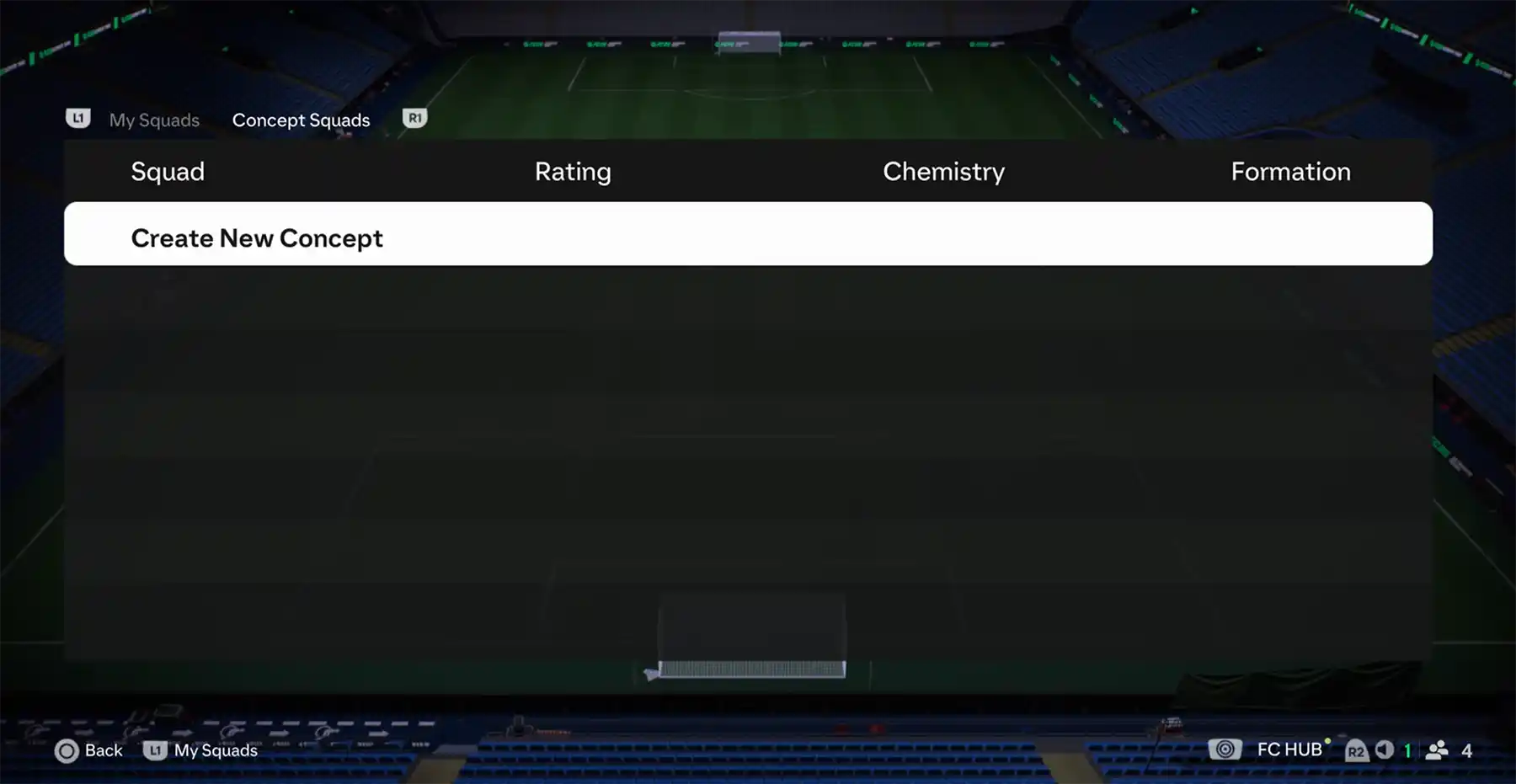
How to Use It
Now that you know what a Concept Squad is for, it is time to learn how to create one and add Concept Players to it.
How to Create a Concept Squad
- From the main Ultimate Team screen, press R1/RB until you reach the [Club] tab;
- Select [Squad];
- Press L3 to open [Squad Actions];
- Select [Squad Selector];
- Press R1/RB until you reach [Concept Squads];
- Select [Create New Concept];
- Choose whether to use [Squad Builder] or build the Concept Squad manually.
When building a Concept Squad for the first time, you must enable the appropriate search filter before unowned Player Items appear among the results.
How to Add a Concept Player
- Open the Concept Squad and highlight the position you want to fill;
- Press Square/X and select [Add Player];
- Press Triangle/Y to open [Search];
- Open [Advanced Filters] and enable [Concept Players];
- Apply any additional filters and start the search;
- Select the Player Item version you want to add.